
CentricFlow provides you with a job feed you can use on your website. The feed is available in JSON and XML, depending on your requirements.
To obtain your link to the feed, that you can pass to your website developer, simply browse to Apps -> Jobs and you will be presented with the below screen.
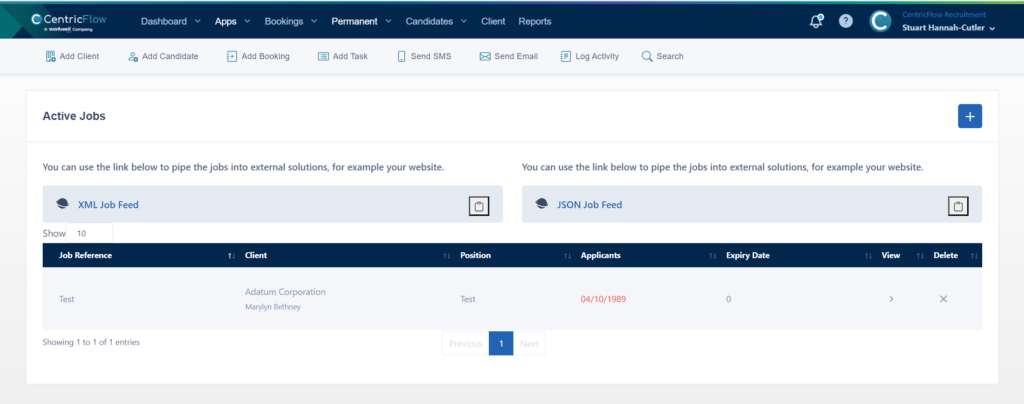
You can click on the clipboard next to the required feed and this can then be used on your website.
When the jobs have been added, they will appear on your website and candidates will be able to apply for them, using your default on-boarding form.