

Release Date: 15th April 2025
What’s New or Changed
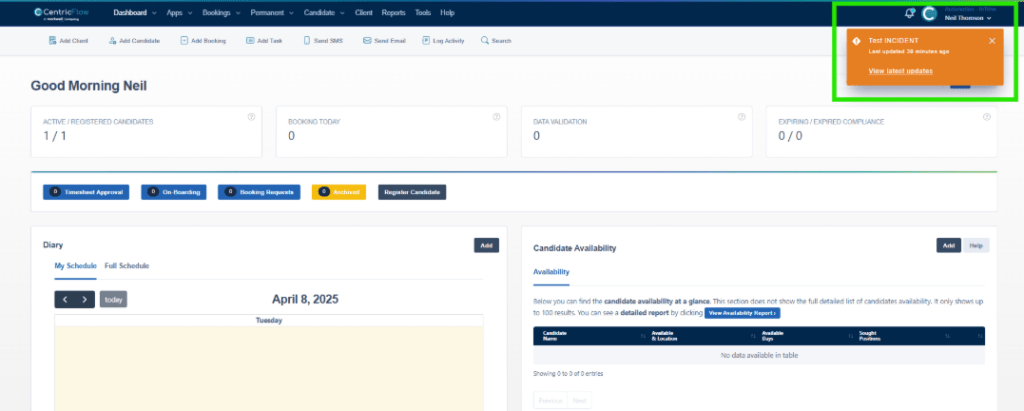
- Service Status: We have introduced our status page to the CRM, which can be viewed with the footer on any screen. This also allows us to trigger notifications on the dashboard, should there be a service not functioning as expected or we need to carry out some routine maintenance.
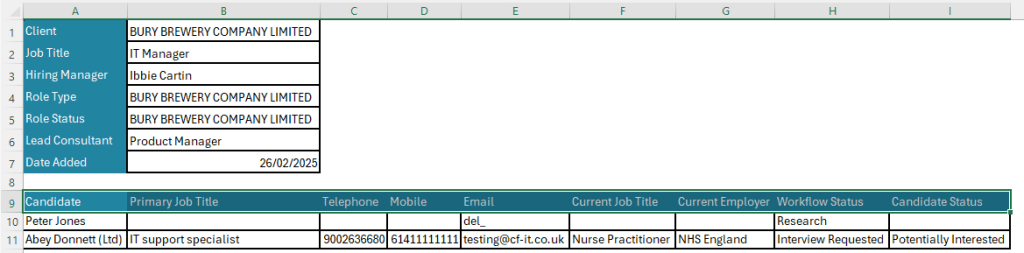
- Permanent Role Export: You are now able to export, as a CSV, of the candidates and their statuses within the role.

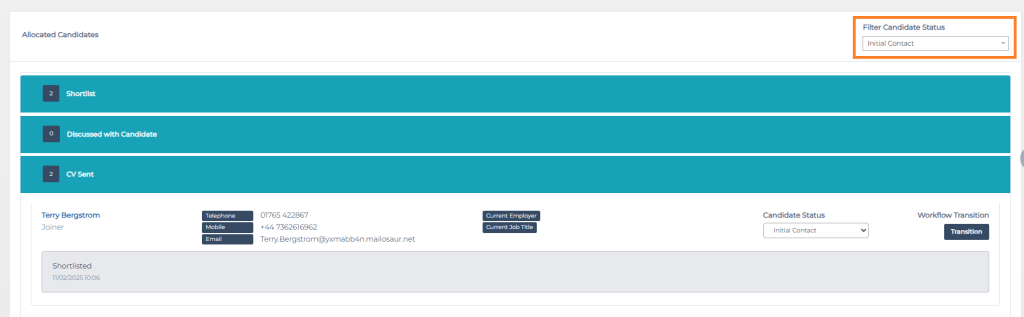
- Permanent Role Filters: Within the Permanent Role, you are now able to filter by the status of the candidates, allowing you to, at a glance, view the candidate status without needing to run a report.
- Permanent Role Proposals: When the role sits within the Opportunity – Proposal, we have added an option that allows you to supplement this status with the proposal document and the date sent to the client. This also works for all role statuses.

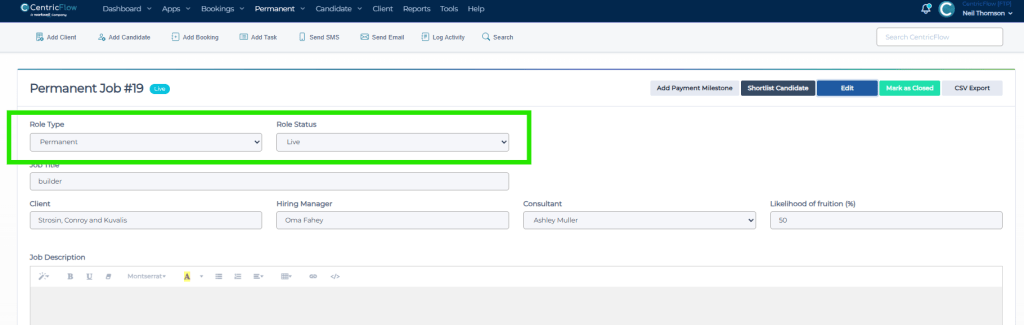
- Permanent Role Field Movements: We have adjust the Role Type and Role Status to be positioned at the top of the form.
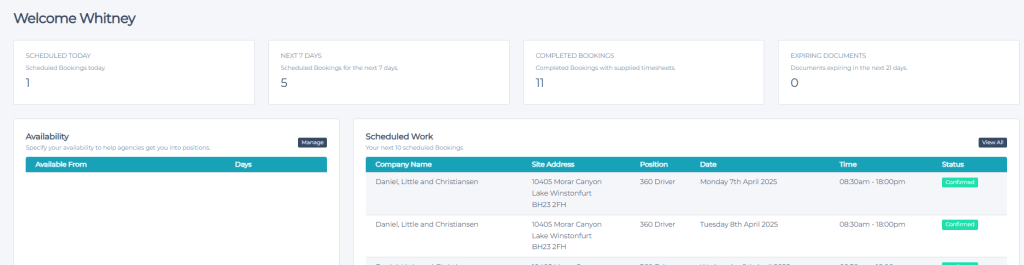
- Candidate Portal: We have now added the location to the candidate portal to aid candidates in seeing where they are going to for the placement.
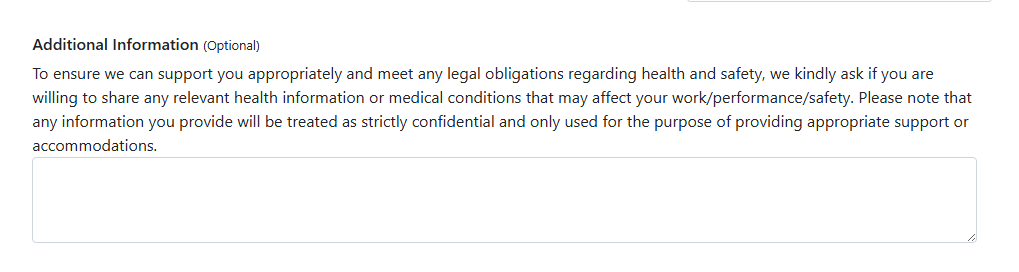
- Candidate Onboarding: We have added a free text area called Additional Information, which is optional, and allows the candidate, should they wish to do so, to add some comments if they have selected yes to suffering from one of the medical issues.
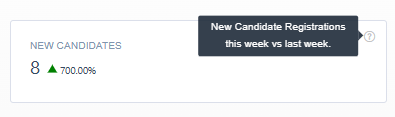
- Candidate Registration KPI: We have added a new dashboard widget that allows you to see your number of registrations for your current week and benchmark this against the previous week to measure the number of registrations.
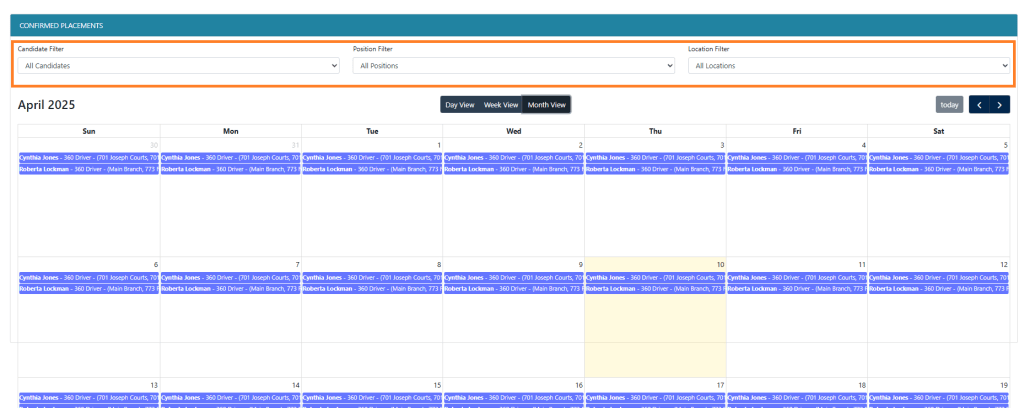
- Client Booking Requests: We have recently added additional filters to the client calendar, offering the ability for clients to filter by Candidate, Position and Site Address.
- Client Notes: We have added the ability to be able to search through client notes, allowing you to search for exactly what you need.

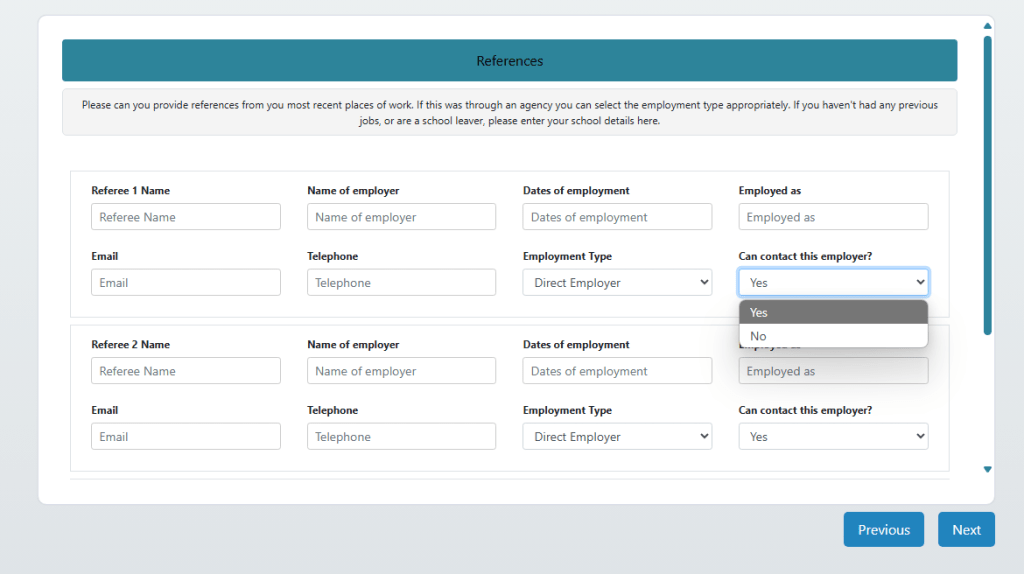
- Candidate References: We have improved the clarification on asking the candidates if agencies are able to contact the referee. This is now a dropdown, with yes or no options that provides that clarity.
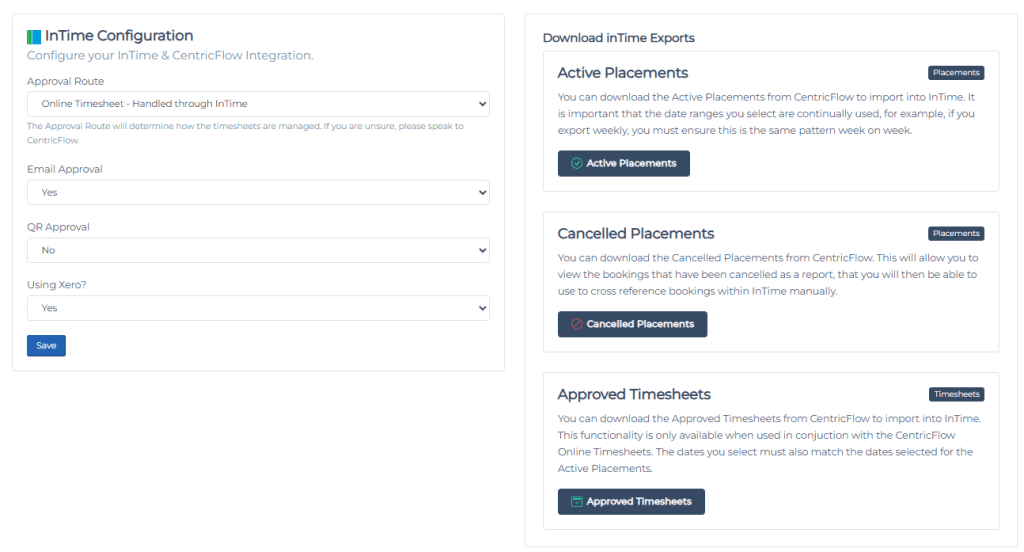
- InTime Timesheets: We have now introduced the CSV Export for InTime, allowing for timesheets to be captured and approved in CentricFlow and made exportable via the CSV.
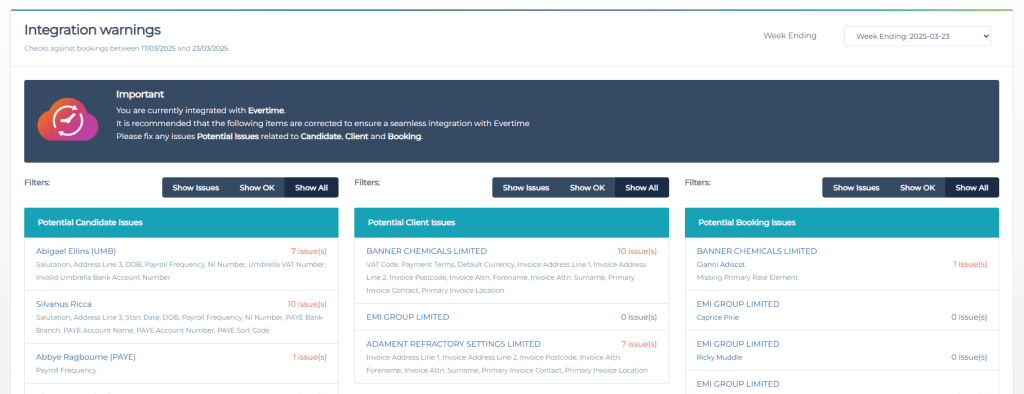
- Evertime Filtering on Manage Integration: We have now added filtering to the Manage Integrations that now allows you to filter out candidates, clients and placements that are OK, to allow you to focus on the ones that need addressing.
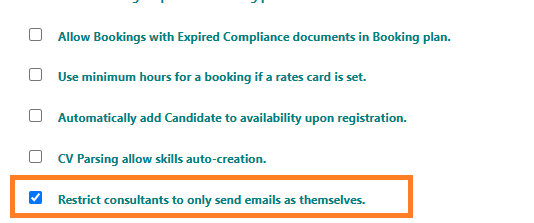
- Restricting Email Sender: We have introduced a new setting that will prevent consultants from select different names from the dropdowns when sending emails from the CRM. When this is enabled, consultants will only see their own name on the dropdown.
What’s Fixed
- InTime: When adding a candidate, the integration was preventing candidates being added who were added as a Permanent Candidate.
- Client Booking Plan: We have fixed an issue where the information was limited to 2 weeks. We now show 2 weeks historically and 6 weeks into the future. We have also refined the calendar views to improve visibility and readability.
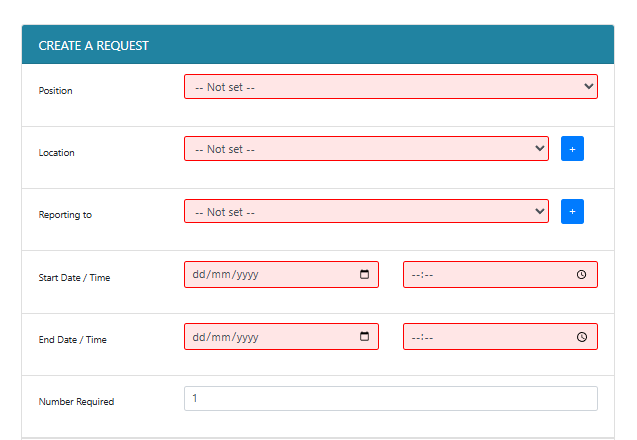
- Client Booking Requests: We have added additional validation rules, so when a client is adding a request, we ensure the mandatory fields are added, to prevent issues when trying to allocate on the Booking Plan.
- Tasks: There was an issue when adding a task for a client, the link would attempt to take you to a candidates profile.
Additional Support
For any additional support or queries, please raise a ticket with our Customer Success Team on support@centricflow.co.uk or using the help button on the CRM.