
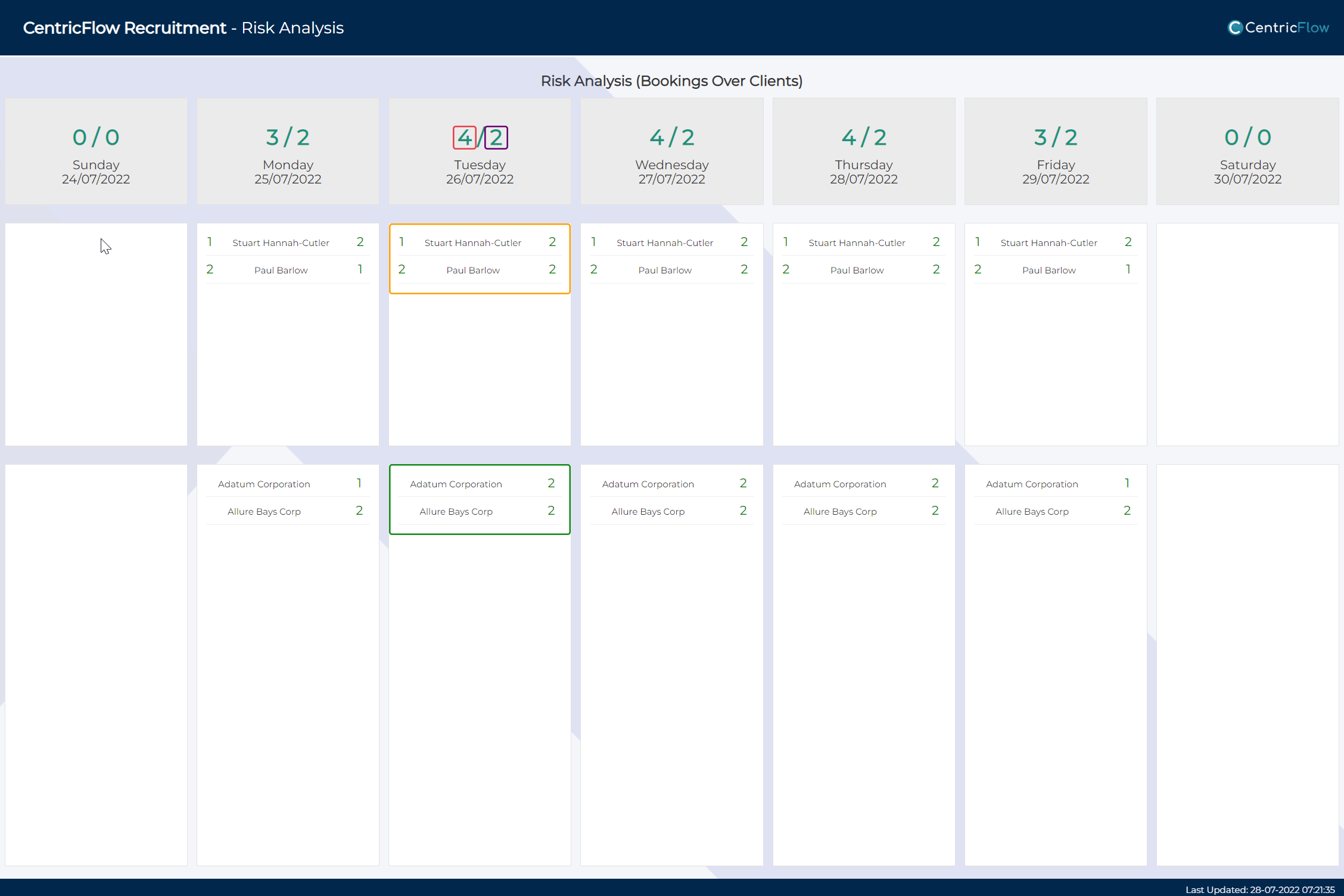
CentricFlow provides you with a Risk Analysis screen that enable you to see where all of your booking are and over which clients.
To view your Risk Analysis simply head to the Dashboards meu and select Risk Analysis.
Legend
- Red – Total number of Bookings for the given day.
- Purple – How many clients the bookings are over.
- Yellow – Total number of Bookings owner by which Consultant.
- Green – Split of bookings over which clients.
If you require any further assistance, please get in touch with the CentricFlow Support team on support@centricflow.co.uk