
Before you begin, please ensure you have copy of your ID & Secret. If you do not have these, please follow the steps in the guide here: https://hub.centricflow.co.uk/knowledge-base/idibu/how-do-i-get-my-id-secret-for-idibu/
To setup Idibu in CentricFlow, simply follow the steps below:
- Login to CentricFlow
- Browse to Apps > Integrations
- Locate the Idibu integration
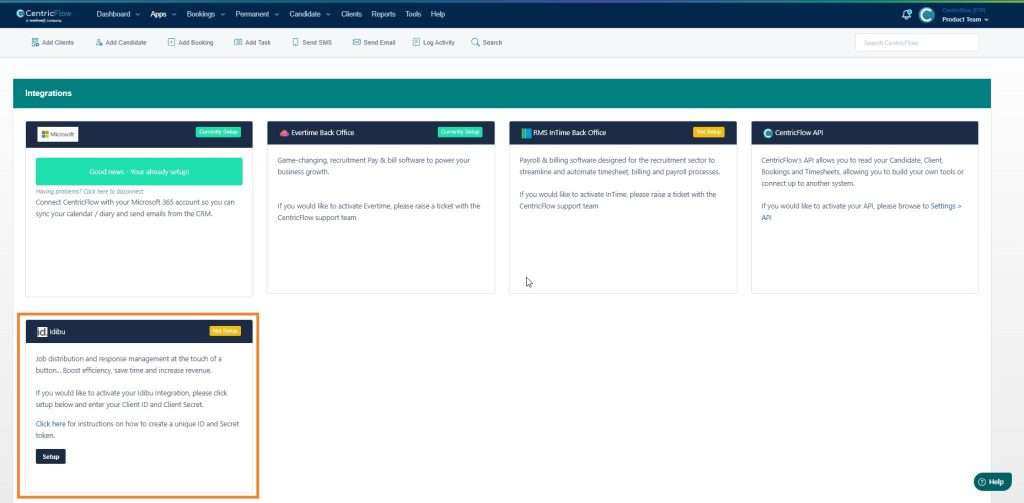
- Click on the Setup button
- You will be presented with a Setup Idibu window

- Enter your Client ID and Client Secret you created earlier and click save
- When you click save, you will see the integration setup status change to Currently Setup
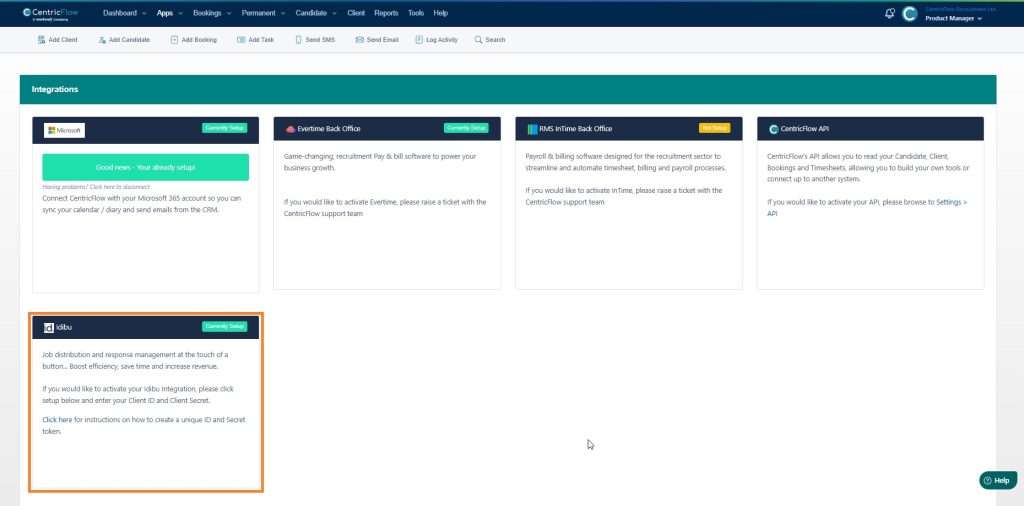
You are all setup now and ready to post jobs to Idibu.
Additional Support
For any additional support or queries, please raise a ticket with our Customer Success Team on support@centricflow.co.uk or using the help button on the CRM.