
Emails within CentricFlow are setup per Consultant, so the steps below will need to be completed per consultant account on the CRM.
To setup your emails within CentricFlow you can do this by:
- Head to Account Settings (using your name is)
- Select Consultants
- Pick the consultant you want to setup emails for
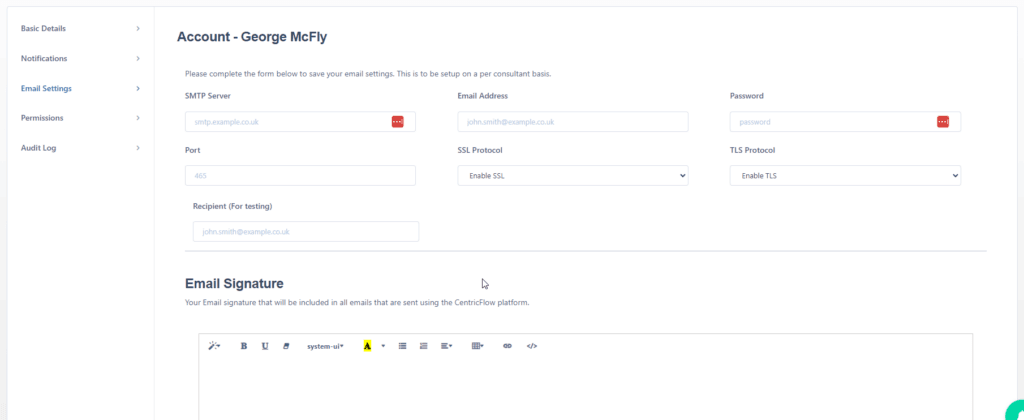
- Select Email Settings (where you will see the below)
- Complete the email settings show below as per your configuration.
- Click save and test and await your confirmation email.
If you do not receive the email, please contact CentricFlow support so the team can assist.