

Release Notes: 6th August 2025
What’s New or Changed
This section highlights brand-new functionality added to the product.
- Integration Warnings – Show Warning for candidates under 16.
We have now added a check that allows a warning to show when a candidate has a DOB that is setting them to below the age of 16. This will allow consultants to tackle the validation before the data is exported to the Back-Office.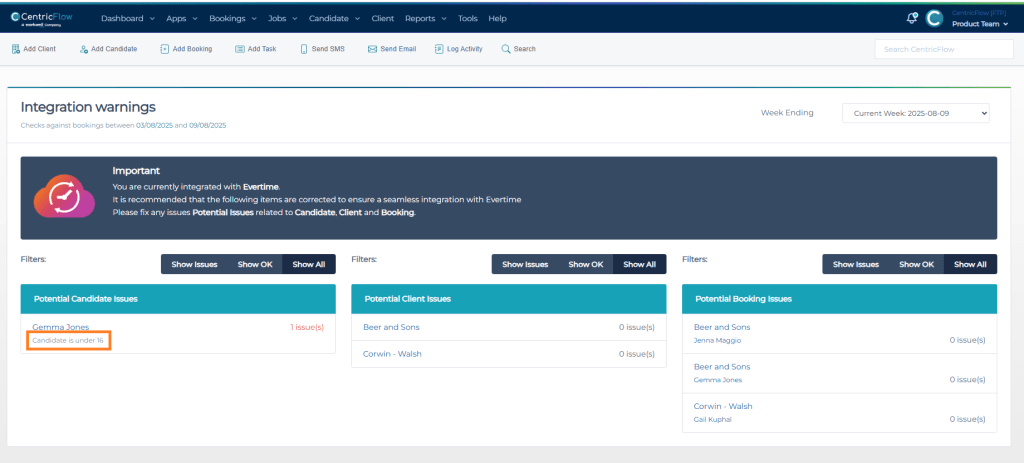
- Compliance Expiry Report
We have replaced the static compliance expiry report with a more flexible report, allowing agencies to select the number of days in the future to review. This report replaces the fixed value of 30 days and offers the flexibility desired.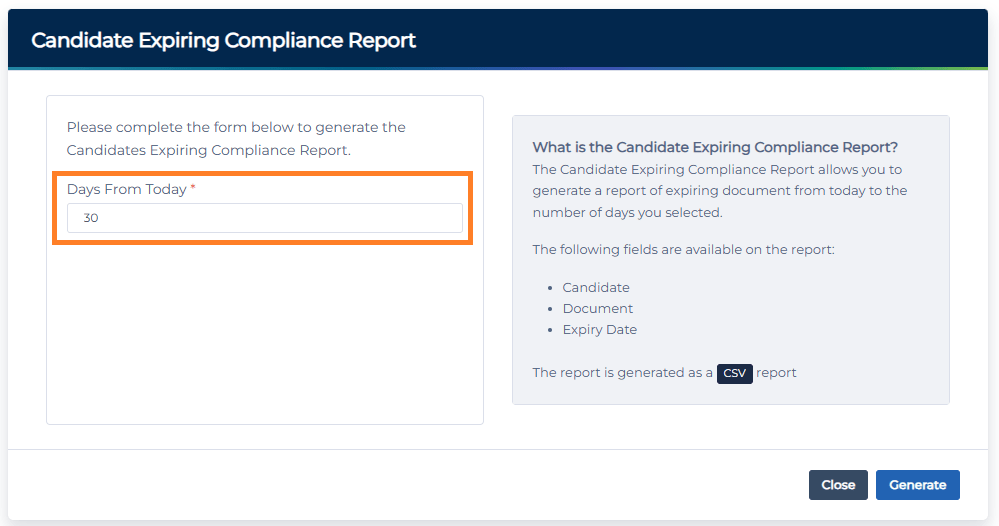
- Self-Management of MFA
We have added new functionality that allows for users to reset MFA settings (Setup and Grace Period) for their colleagues who are having issues. Click here to learn how to reset the grace period and click here to learn how to reset the MFA Settings. - GDPR Report
We have added a new GDPR report that allows agencies to report a list of candidates they have not placed or added notes to their record within the period selected. Agencies will then be able to use this report to remove candidates they are no longer required to keep.
- Bookings > Add Booking > Job Title Restrictions per client
Agencies now have the option to restrict job titles at client level, which will be useful for sectors such as the healthcare sectors.
Click here to review how to set this up. - Consultant Task Report
Allow agencies to be able to generate a report of consultant tasks within a date range.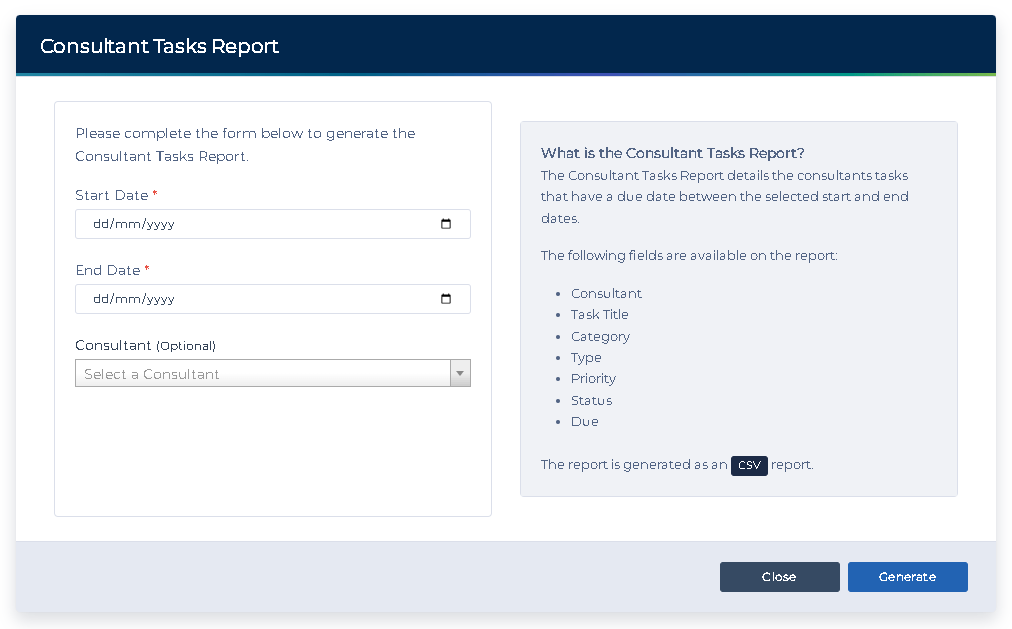
- Holidays > Bulk Approve Facility
Allow agencies to be bulk manage candidate holidays. Click here to learn how consultants and candidates are able to add bulk dates. Click here to learn how you are able to bulk manage them too. - Agency Custom Email Template for Candidate Registration
Agencies are now able to create a template for replacing the details ‘Register Candidate’ modal. Click here to learn how to set your own template.
What’s Improved or Fixed
This section covers enhancements to existing features, performance optimizations, or user experience refinements.
- Client VMS > Show Start and End Times
We have improved the calendars on the Client VMS, that now shows the booking start and end times.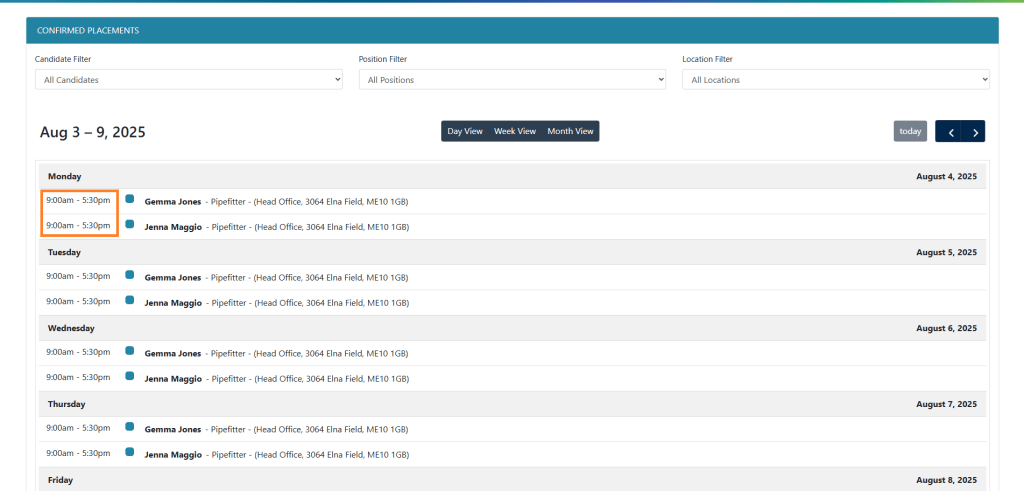
- Idibu not sending HTML content
As part of the original Idibu integration, we were not sending HTML content, only plain-text. This has now been updated so you can sent HTML content over to the Idibu for the postings. - Add Tasks for Client Contacts
We have improved the tasks by allowing consultants to add to a specific contact of a client, instead of just at client level.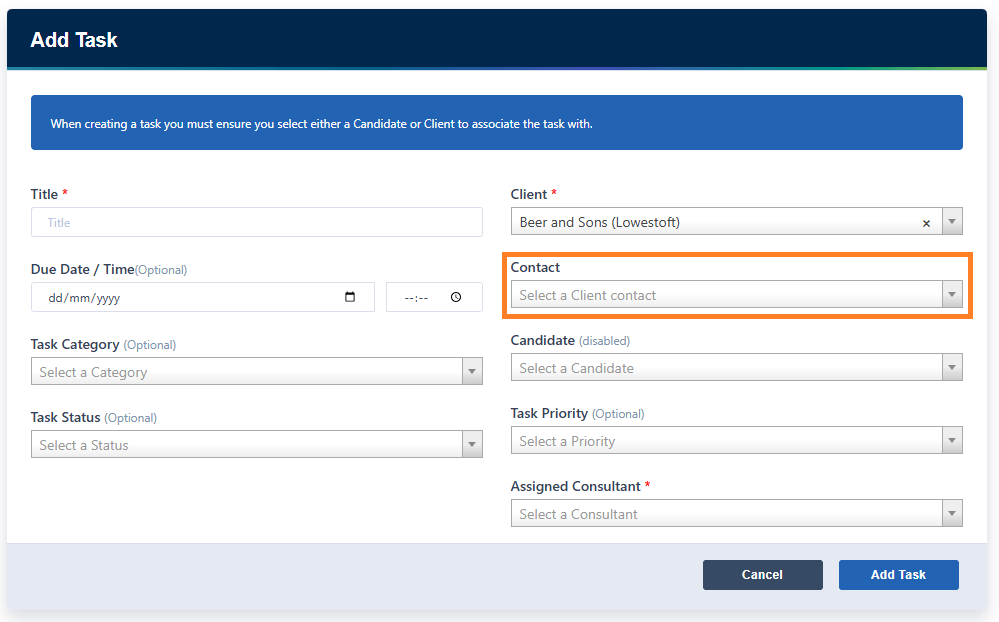
- Candidate Registration > Not trimming whitespace in name.
We have added some clean up to the name fields when a candidate registers, as we can see candidates were adding spaces at the end of their name, which means the search function doesn’t work as expected because of the double spaces being applied that wasn’t visible. - Multi-agency Access – Email Settings
When a consultant with access to multiple databases has their email setup, their email settings do not follow them, resulting in additional steps for the user to get this working.
Additional Support
For any additional support or queries, please raise a ticket with our Customer Success Team on support@centricflow.co.uk or using the help button on the CRM.