
If you decide you want to stop a file from being delete, maybe because it was accidently deleted, you can this in 2 ways.
The first way is to use the below link (Clicking on the number) to see the queue.

When you look at the queue, you can locate the document you want to stop from being deleted and click Cancel. If you want to stop all files in the current queue from being deleted, the you can click the Cancel All.

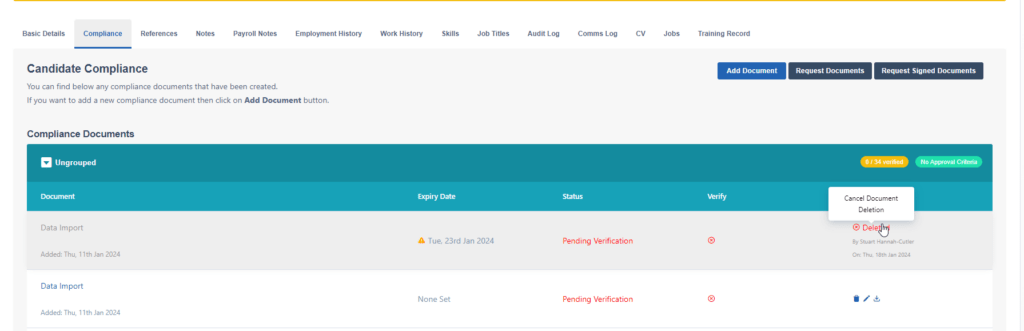
The second way of reversing a deletion request is to browse to the candidates profile, location the document that has been requested to be deleted and click on the deleted link and this will remove it from the queue.
PLEASE NOTE: Once a document has been deleted, CentricFlow will not be able to bring this document back for you, so you will have to re-upload the document manually.