
Please note, this field and instructions are only available and applicable for Evertime customers.
This article outlines how the Invoice Location is automatically populated based on client defaults, and when those defaults are applied.
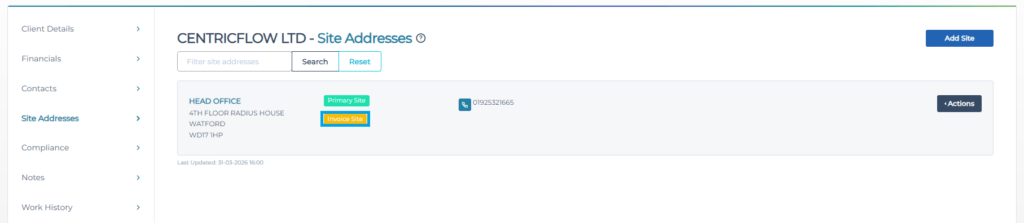
When adding a Booking, the system will automatically select the location that has been set as the Invoice Location within the Client Site Addresses, as highlighted below.
Recommended articles to read:
Bookings: How to Set the Invoice Contact when adding a Booking
Bookings: Understanding Invoice Contact Defaults on Bookings
Bookings: Managing Invoice Contacts Editing a Booking
Bookings: How to Set the Invoice Location on a Booking
Bookings: Understanding Invoice Location Defaults on Bookings
Bookings: Managing Invoice Locations Editing a Booking