
Workflow for Online Timesheets
Prerequisites: You must ensure, as an agency, you have activated this client for Online Timesheets.
When a candidate has a timesheet to submit, they will receive the following email:
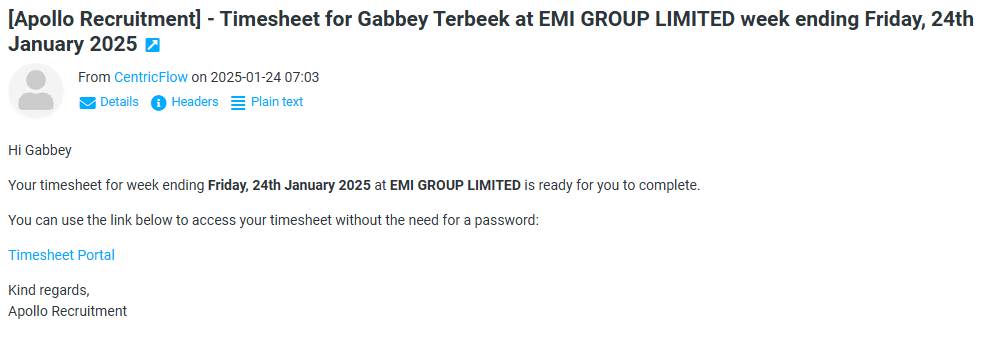
Once the candidate clicks on the link, they will see the timesheets they have available to submit.
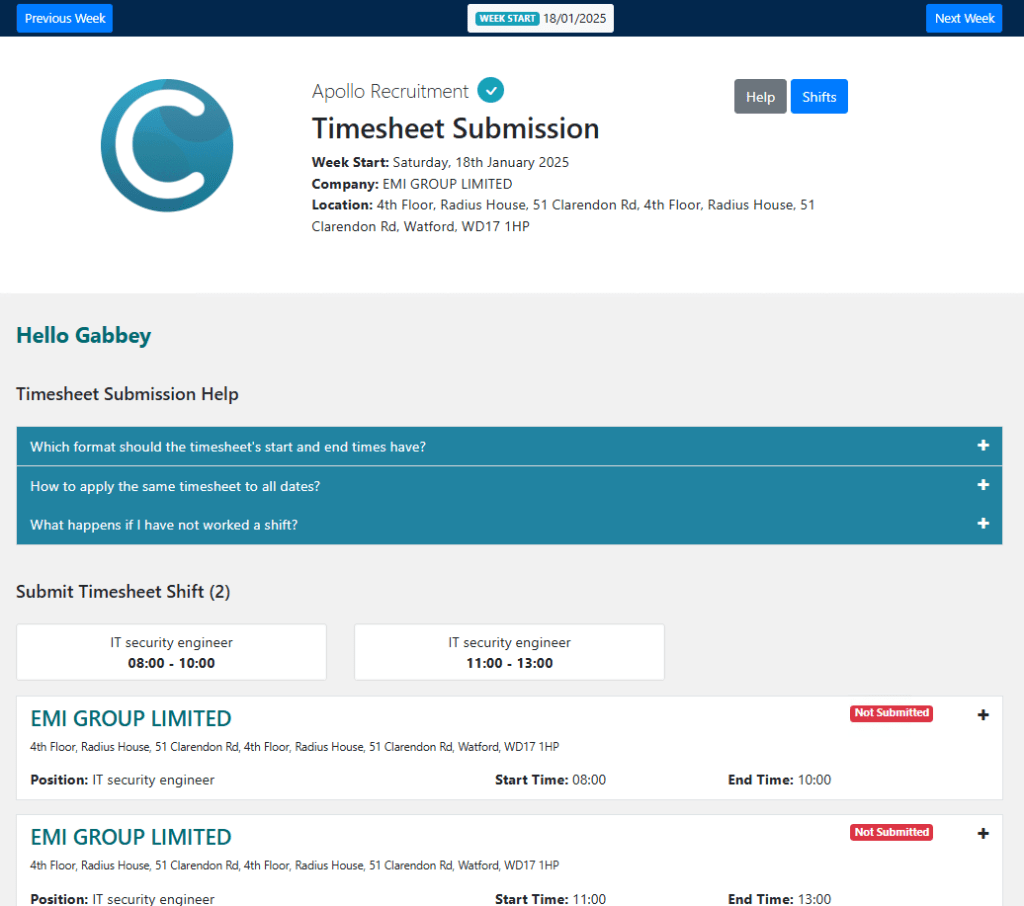
In the example above, we have multiple bookings, so we will click the plus button for the timesheet we would like to submit, as shown below:

Once the candidate enters their hours and clicks submit, they will be presented with the below confirmation:

Once the candidate has submitted their timesheets, the timesheets will be awaiting client approval.
Additional Support
For any additional support or queries, please raise a ticket with our Customer Success Team on support@centricflow.co.uk or using the help button on the CRM.