
Traditionally, candidates could add holidays requests, and the available options were to approve or reject these. We have now expanded the available options, which we will go over below.
How can Candidates submit holiday requests?
Candidates can either coordinate with their consultant and the consultant can add the holiday requests to their profile (Under the Holidays tab) or candidates, if they have access to the CRM, will be able to submit them through their portal.
Can all candidates submit holiday requests?
No, this functionality is only available to PAYE candidates.
What options are available?
As a consultant, you are now able to Approve, Reject and Delete the holiday request, where this has been added in error or not required.
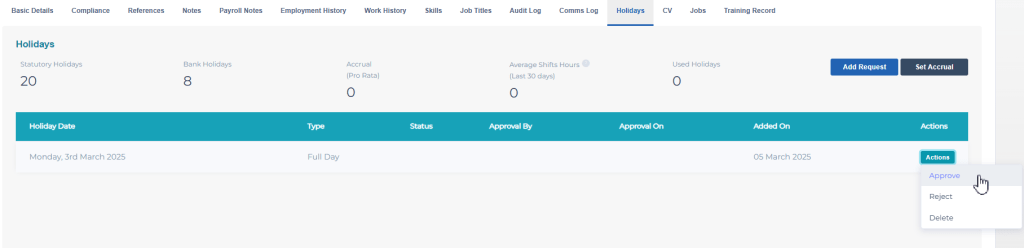
When a holiday requests is actioned on, the activity, for example, deleted, is then logged in the consultant’s audit history, so you can see who deleted it.
Additional Support
For any additional support or queries, please raise a ticket with our Customer Success Team on support@centricflow.co.uk or using the help button on the CRM.