
We have now added logging to the CRM, so that when a candidate has been deleted, we are able to track who has completed this action.
How / where can you delete candidates?
Candidates can be deleted by the following methods / locations:
- Candidates > Delete Candidates
- Candidates > List Candidate > Tick candidates + Delete Button
- Candidates > Candidate Search
- Candidate Profile
Is there a permission to stop consultants from deleting candidates?
Yes, under each consultant, you are able to tick the option ‘Delete Workers’ which will show the methods described above to the consultant. By default, this permissions is not applied to new consultants.
Where is the audit log for this activity?
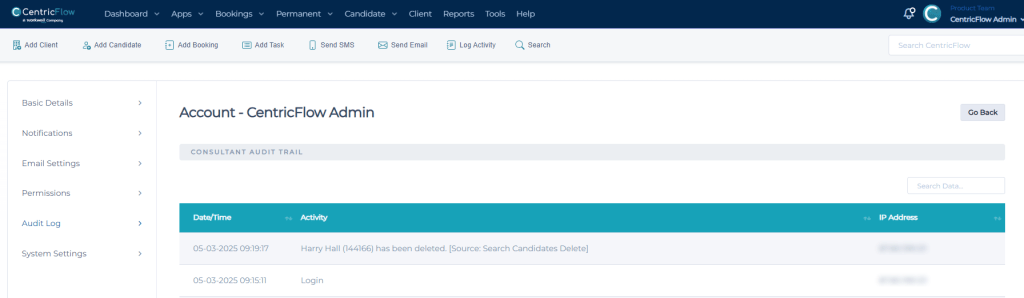
If you browse to the Consultants profile, (via Settings > Consultants) you will be able to select Audit Log and then you will see an entry for the deleted candidates. An example of this can be seen below:
Can a candidate be recovered if we have deleted them?
No. CentricFlow doesn’t have a mechanism for this, so we advise this functionality is to only granted to those who require this and is used with extreme caution.
Additional Support
For any additional support or queries, please raise a ticket with our Customer Success Team on support@centricflow.co.uk or using the help button on the CRM.