
How do I view the metric for ‘Time to Offer’ for our permanent jobs?
To review the time to offer for a permanent job, you need to browse to Permanent > Completed Completed.
You will now see the metric, which is measure by calculating how many days since the job was added to CentricFlow, to the first time a candidate was allocated to the Offer stage of the process.
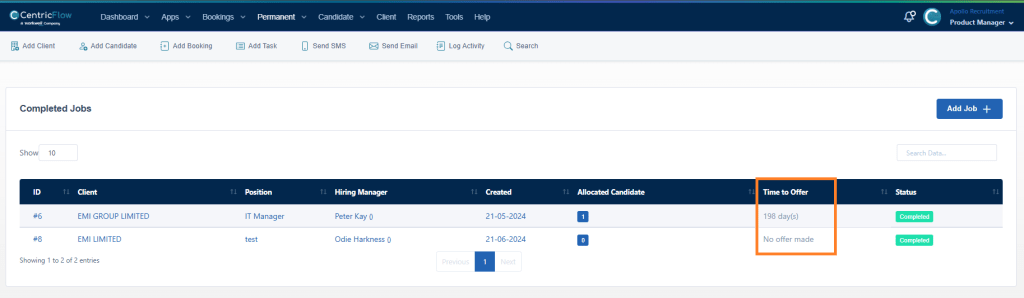
If you complete the job, without moving a candidate to the Offer stage, the position will show as ‘No offer made’, meaning no candidates made it to the offer stage before the position was marked as completed.
Additional Support
For any additional support or queries, please raise a ticket with our Customer Success Team on support@centricflow.co.uk or using the help button on the CRM.