
If you are manually completing timesheets, there are some steps you must completed to allow the timesheets to be sent over to Evertime, otherwise the system will not send the timesheets, as it believes you are going to do this manually in Evertime.
After submitting your timesheets, they will be awaiting approval. You must follow the steps below:
- Browse to Bookings > Online Timesheets
- Expand the Client where the timesheets need approving.
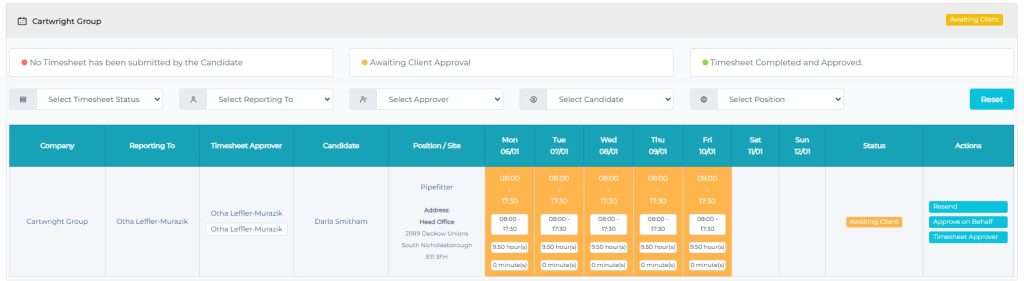
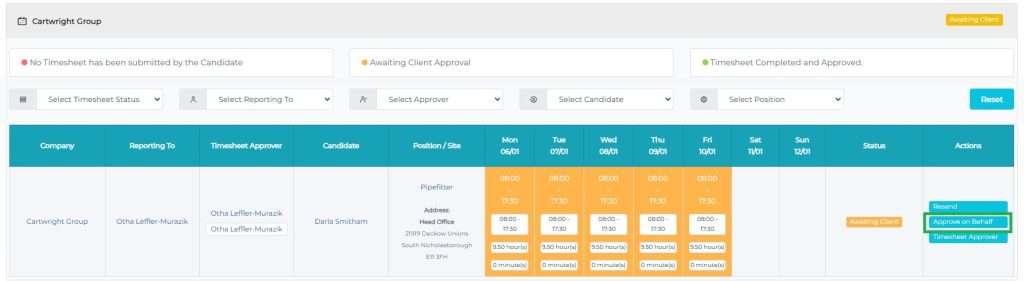
- Click on Approve on Behalf, as highlighted below.
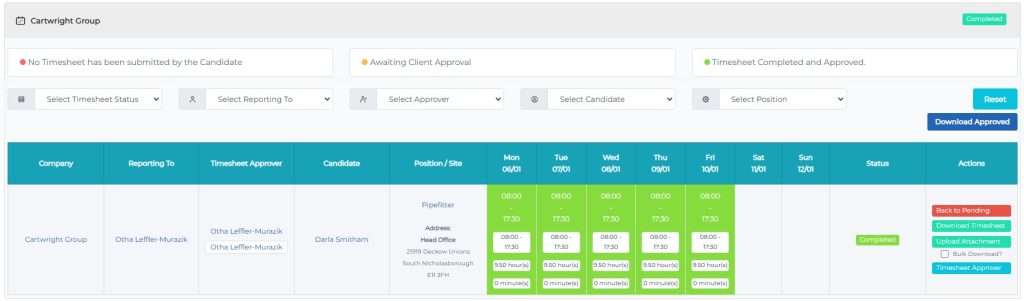
- Once this has been approved, the timesheet will show a status of Completed
- What if my timesheet status is Manually Completed?
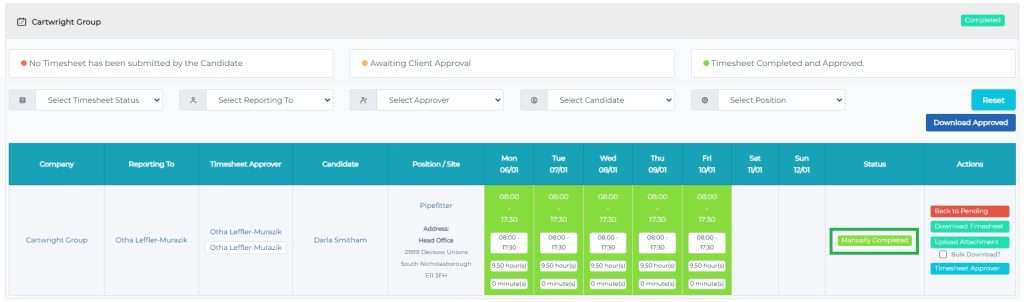
If your status is showing as Manually Completed, this means that a consultant has used the Bookings > Pending Approval to approve the timesheets. By indicating this, the consultant is telling CentricFlow that they will manually add this to Evertime.
To overcome this, if you select Back to Pending and then the timesheet will be awaiting Client Approval again, you can then select Approve on Behalf
Additional Support
For any additional support or queries, please raise a ticket with our Customer Success Team on support@centricflow.co.uk or using the help button on the CRM.