
When you have forgotten your password, or have a new account setup on CentricFlow, you will receive an email with a link to set a password, rather than a new password in the email.
Why are we doing this?
We have adopted this mechanism as part of our ISO 27001 accreditation, ensuring that we no longer send passwords in Plain Text, and allow the for the responsibility of the password to be set by the user.
How does it work?
When you are either setup on CentricFlow, or request a new password, you will receive an email similar to the below:
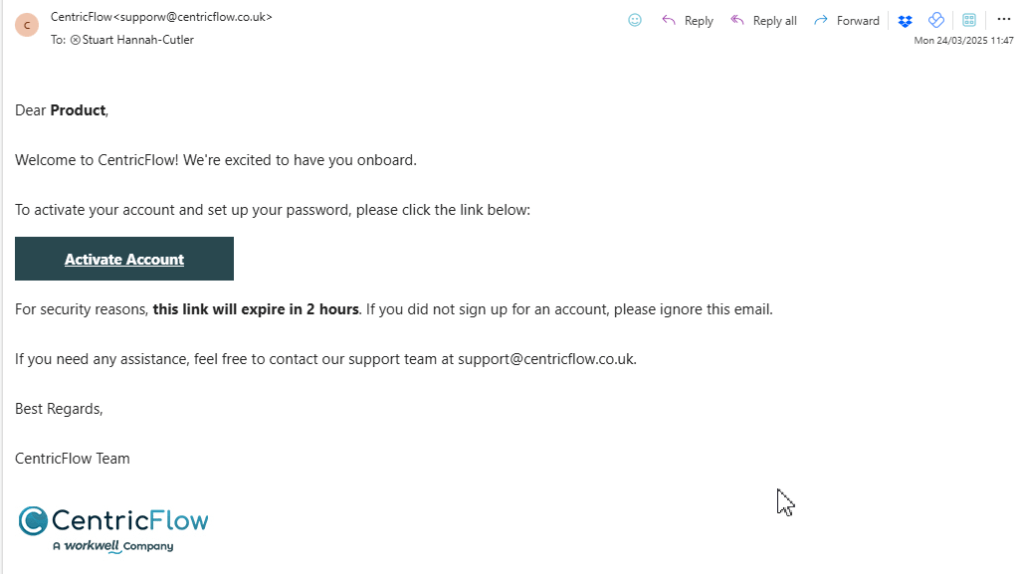
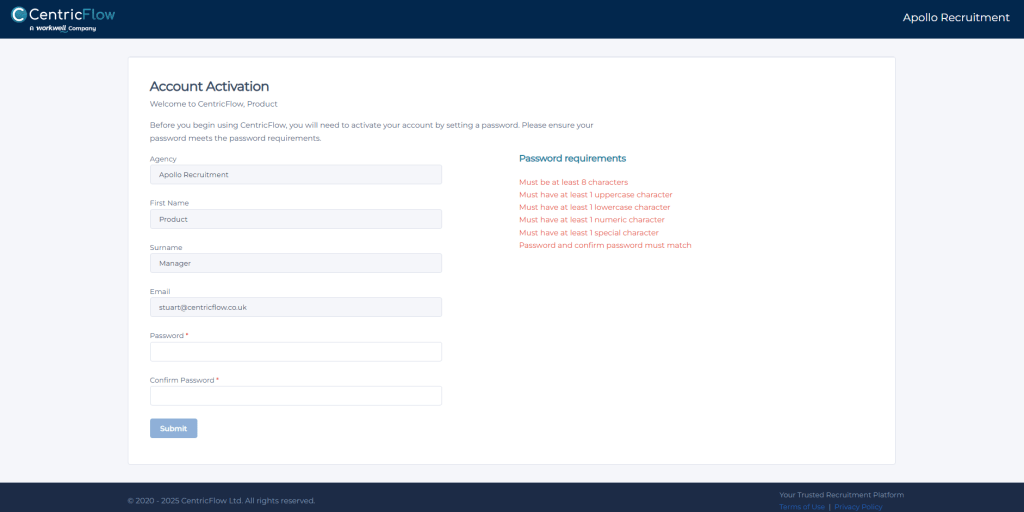
The email will contain a link that will expire after 2 hours, where you will be able to set your new password, as shown below. The password must meet the mandatory requirements.
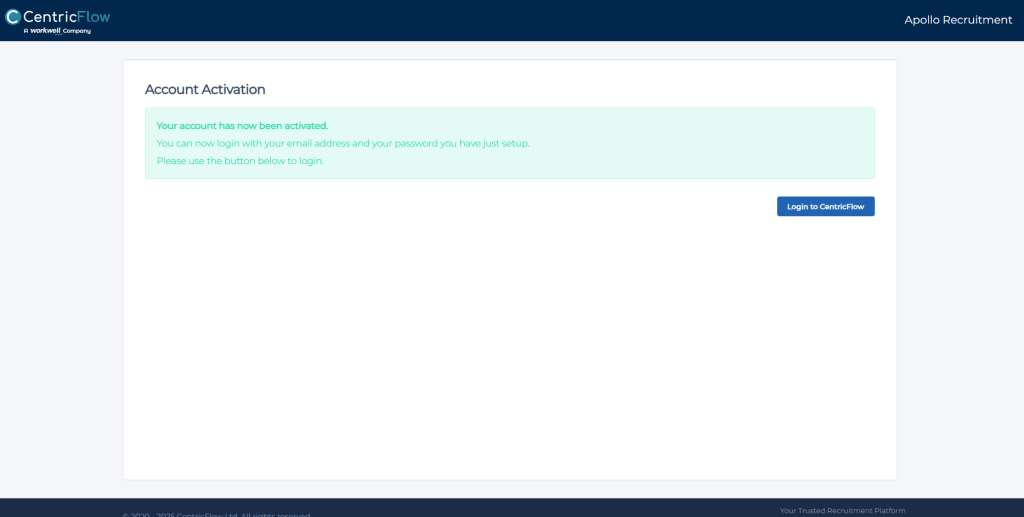
After your password has been set, you will see the following screen confirming this, where you will then be able to login to CentricFlow.
Additional Support
For any additional support or queries, please raise a ticket with our Customer Success Team on support@centricflow.co.uk or using the help button on the CRM.