
How do I access the JSON / XML Feeds for Jobs on CentricFlow?
To access the feed of jobs added on CentricFlow, please follow the steps below:
- Login to CentricFlow
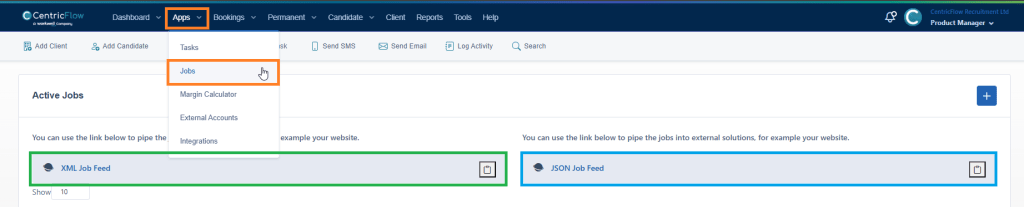
- Browse to Apps > Jobs
- Determine if you require JSON or XML
- Click on the clipboard to copy the feed link.
Example of how to get to the feed
The feed is available for you to use on your websites, via your chosen tools to pull from the feed.
Additional Support
For any additional support or queries, please raise a ticket with our Customer Success Team on support@centricflow.co.uk or using the help button on the CRM.