
Workflow for adding Availability via the Automated Availability
Prerequisites: You must ensure, as an agency, you have activated this feature via Notifications.
When the availability is setup, candidates will receive the following email. Please note, the link is only valid for 1 week, so the candidate will have to use the updated link each week.

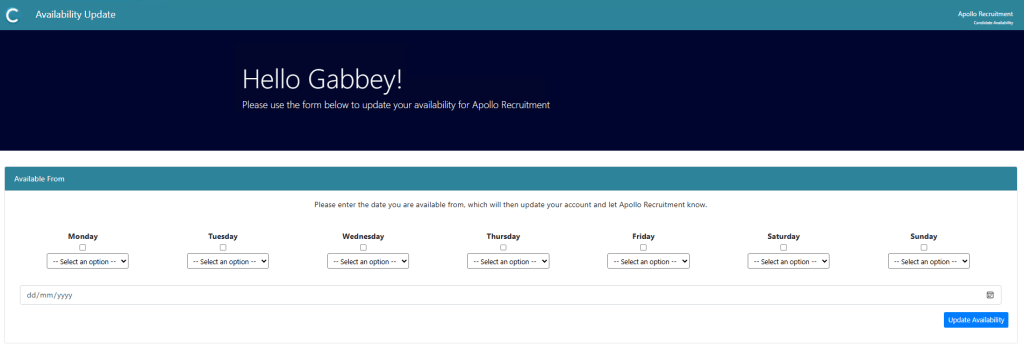
When candidates click the the link in the email, they will be taken to the update page, where they can update their availability, without the need for a password.
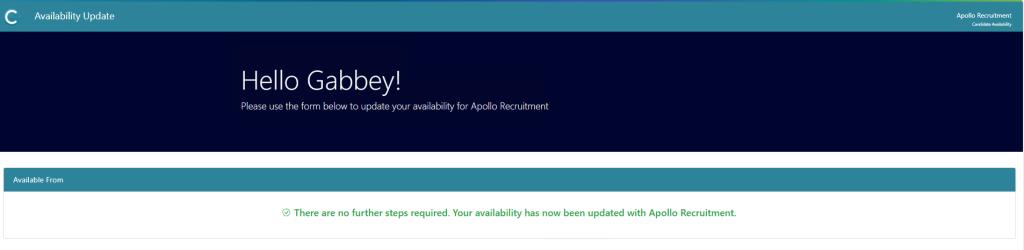
After the candidate has submitted their availability, the will see the following screen
Additional Support
For any additional support or queries, please raise a ticket with our Customer Success Team on support@centricflow.co.uk or using the help button on the CRM.