
Summary:
Timesheet Method tells Evertime Pay & Bill how timesheets for a placement are captured.
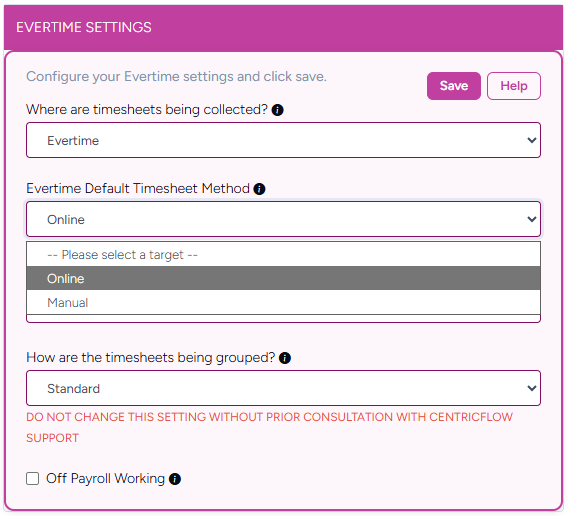
Online: the candidate completes the timesheet online in Evertime.
Manual: the agency adds the timesheet manually.
The agency sets an overall default, each client can have its own method, and each booking can be changed individually.
Where to find it
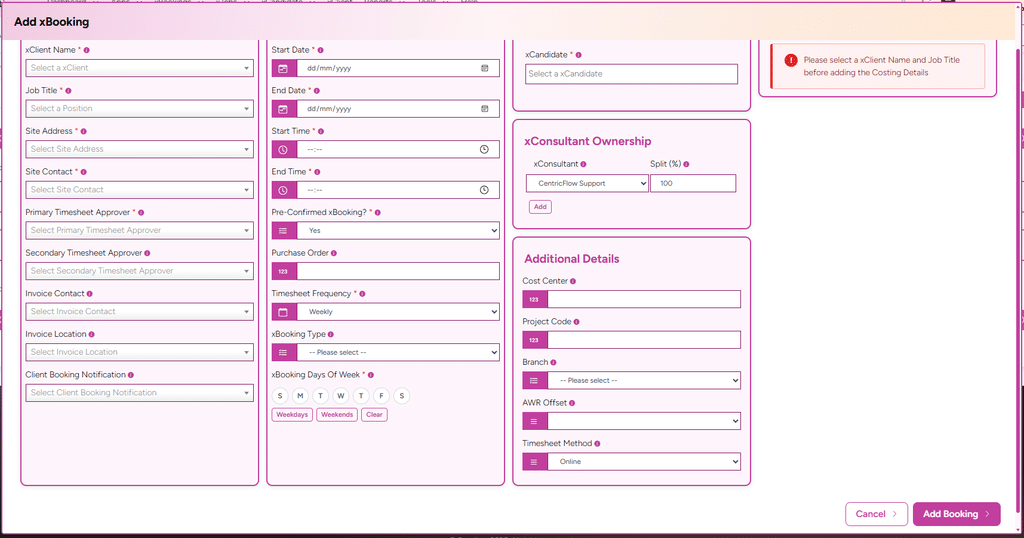
When you add a booking: Additional Details > Timesheet Method.
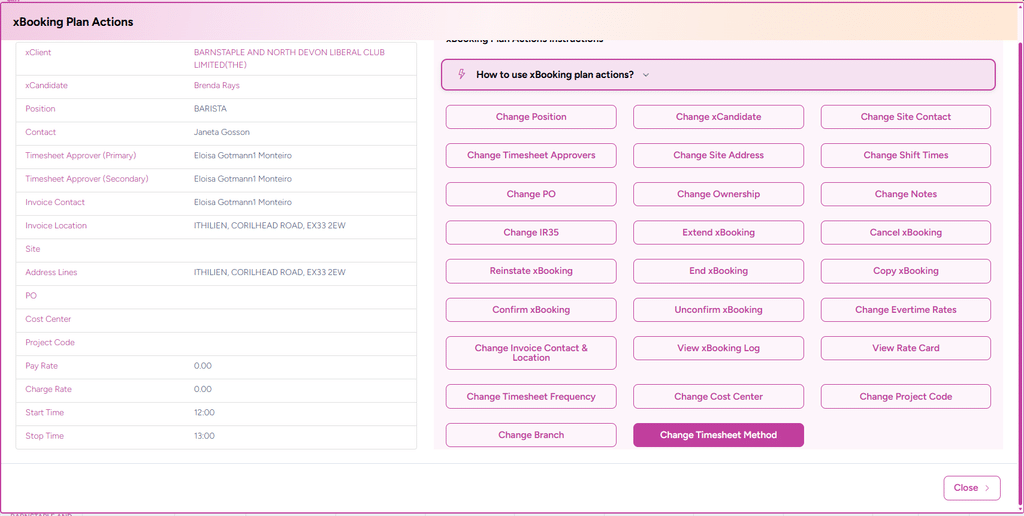
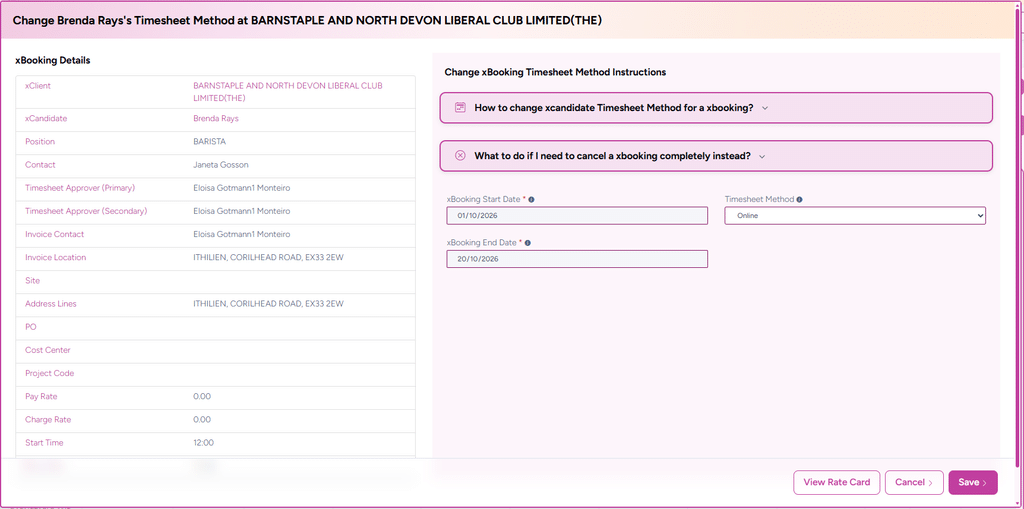
On an existing booking: Booking Plan > Actions > Change Timesheet Method.
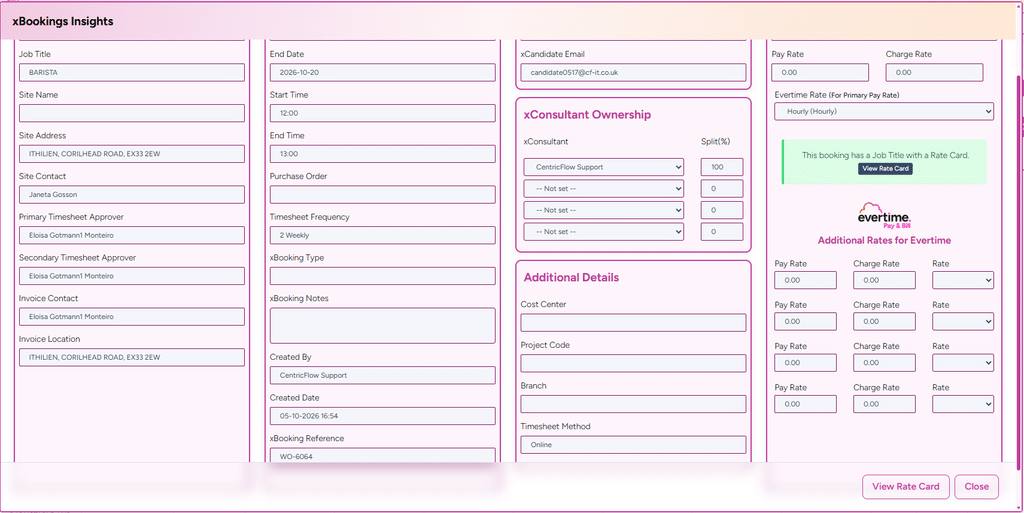
To see the current value: Booking Plan > View Booking Insights.
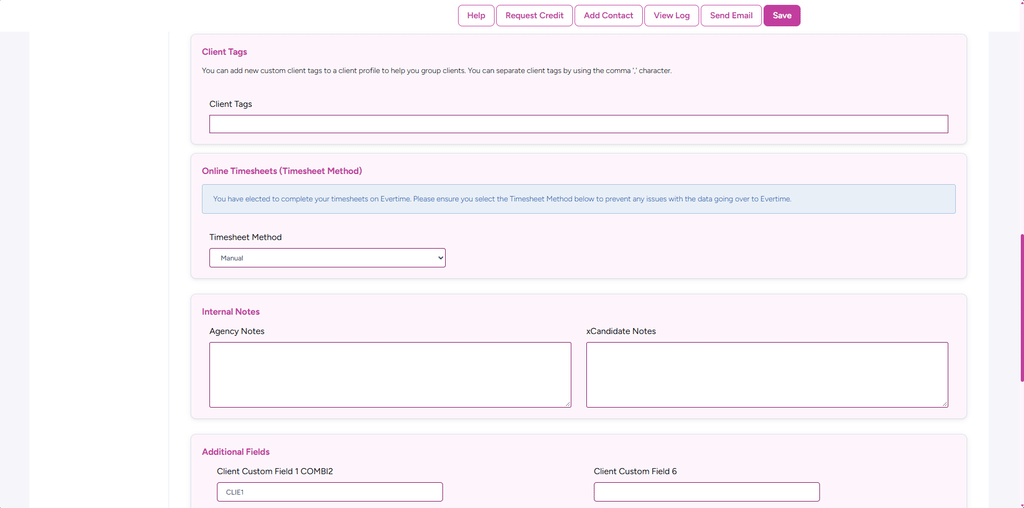
Client default: Client > Details > Timesheet Method.
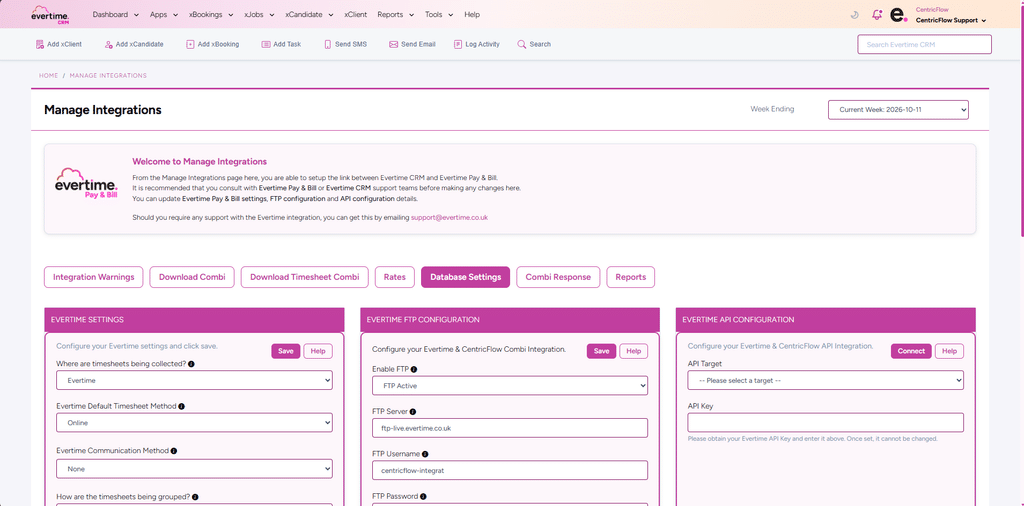
Agency default: Manage Integrations > Settings > Evertime Default Timesheet Method.
When it applies
Every booking created by Evertime, Intime and Direct agency users.
The method applies to the whole booking, from start date to end date, including every weekly placement created in Evertime Pay & Bill.
When you add a booking, the field first shows the agency default and then changes to the client’s method when you select the client.
Clients set to “Use Agency default” follow the agency setting.
Bookings created before this change use the client default, then the agency default, until you change them.
How it integrates with Pay & Bill
When a booking is confirmed, the Combi CSV includes Timesheet_Method (“Online” or “Manual”) on every line for that booking.
When the file is imported into Evertime Pay & Bill (including by Auto-FTP), each placement is set to that Timesheet Method.
If a booking has no method of its own, the client default is sent, then the agency default.
Logging
Changes are recorded in the booking log. Also the candidate notes shows the changes.
The changes are also recorded in the consultant audit log.
Validation rules
Timesheet Method is mandatory.
Choose Online or Manual (other Evertime methods are not available yet).
It is pre-filled with the agency default, then the client default once a client is selected.
A change applies to the whole booking date range.